No Man's Sky update 7.13 adds a Corvette Haulage variant and fixes Forsaken bugs
No Man's Sky update 7.13 adds a new Corvette Haulage mission variant and fixes Forsaken bugs, plus PCVR, Steam Frame and iOS changes, NMS players are told.
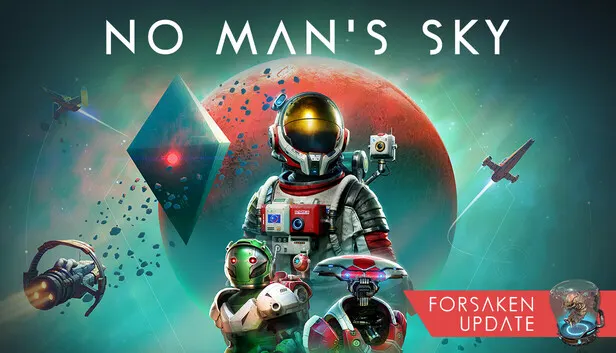
No Man’s Sky update 7.13 brings a new twist on the Corvette Haulage mission and a big pile of Forsaken-related fixes. The patch notes, reported by PlayStation Universe, also take in load times, VR, PS5 and a long run of iOS changes.
Corvette and Forsaken changes
- A new variant of Corvette Haulage has you deliver packages to space stations.
- Packages should now be easier to deliver to delivery management boxes, and you no longer drop them when stepping out of your corvette.
- Salvageable parts can be collected from space hulks again.
- You won’t lose mementos when buying new Corvette parts from the Forsaken Trader with a full inventory.
- The Forsaken traders’ tutorial has been fixed.
- Some Corvette parts no longer snap incorrectly while you build, and corvettes shouldn’t collide when leaving the Anomaly.
- Configuration and edit mode now lets you delete certain parts that could trap you inside a corvette.
- New Corvette parts get visual improvements.
General fixes and improvements
- Mission markers for seamless warping are improved, and minimal HUD mode shows clearer information.
- Multiple ships no longer land on the same Planetary Outpost landing pad.
- Community expedition games begun from a primary save now wrap up the expedition when you head back to your primary save from the pause menu, if the season has expired.
- You should be able to enter freighters after freighter battles.
- The warp effect no longer shows up black.
- Load times and file system performance are improved.
Platforms
- PCVR: fixed rolling in space while moving around.
- Steam Frame: fixed two text input problems, one with previewing text and one where only a single character could be typed.
- Fixed a rare crash when downloading base images, and a rare crash on PS5.
iOS
- You can now start Auto-run by tapping its button, and inventory pop-ups can be dismissed with the back button in the top left.
- Haptic feedback is better at higher framerates, and starship handling is improved with the Thumbstick control method.
- Fixes cover the missing cycle weapon button in Exocraft, ship roll controls appearing when entering or leaving your starship, and planet waypoints not opening their UI when tapped.
- Fixes also cover a vanished crosshair after tutorial boxes, low-resolution button prompts, overlapping text, a missing Exocraft tooltip icon, an unlocalised Uncapped Max FPS string and misaligned tiles on some iPads.
- Tapping the Community Expedition tile in trial mode now explains the mode.
- Stability improvements are included.